• Description
  • System Requirements
  • How to Install

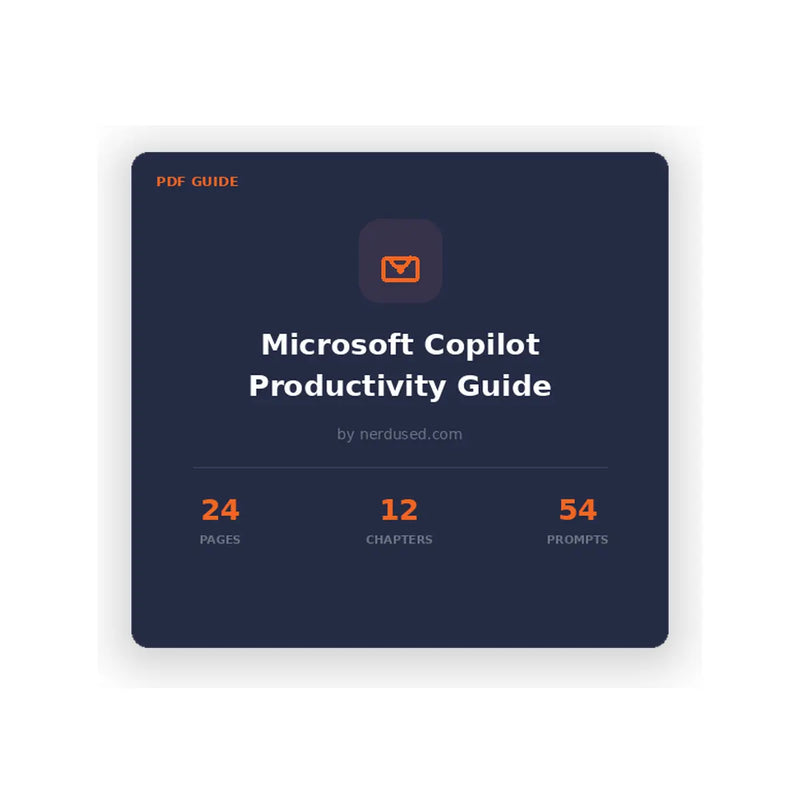
Stop wasting time on tasks Copilot can handle. 54 copy-paste prompts and the CRAFT framework to 10x your output across Word, Excel, PowerPoint, Outlook, and Teams.

What's Inside

12 chapters covering everything from Copilot basics to advanced workflows across every major Microsoft 365 app.

       Chapter 1: What Is Microsoft Copilot? – How it works, what it can do, and where it fits into your workflow.


       Chapter 2: The CRAFT Framework – A repeatable 5-step method for writing prompts that actually deliver.


       Chapter 3: Copilot in Word – Draft documents, rewrite content, and summarise long reports instantly.


       Chapter 4: Copilot in Excel – Analyse data, generate formulas, and build charts from plain English.


       Chapter 5: Copilot in PowerPoint – Create presentations from outlines and transform bullet points into slides.


       Chapter 6: Copilot in Outlook – Summarise email threads, draft replies, and manage your inbox faster.


       Chapter 7: Copilot in Teams – Meeting recaps, action items, and catch-up summaries without watching recordings.


       Chapter 8: Advanced Prompt Techniques – Chaining, iteration, and multi-step prompts for complex tasks.


       Chapter 9: Common Mistakes to Avoid – The prompting anti-patterns that waste time and produce garbage output.


       Chapter 10: Real-World Workflows – End-to-end scenarios: weekly reports, client proposals, data analysis.


       Chapter 11: Prompt Library – 54 ready-to-use prompts organised by app — just copy, paste, and go.


       Chapter 12: What’s Next for Copilot – Upcoming features and how to stay ahead as Copilot evolves.


Sample Prompts From the Guide

Here’s a taste of what you’ll get — 54 prompts like these, ready to use across every M365 app.

       Word: “Rewrite this section for a non-technical audience. Keep the key findings but remove all jargon and acronyms.”


       Excel: “Analyse this sales data and highlight the top 5 products by revenue growth. Add a column showing month-over-month % change.”


       PowerPoint: “Create a 6-slide presentation from this document. Include an executive summary, key metrics, and a recommendations slide.”


       Outlook: “Summarise this email thread into 3 bullet points: what was decided, what’s still open, and who owns next steps.”


       Teams: “What action items were assigned to me in this meeting? List them with deadlines and who requested each one.”


       Advanced: “Take the Q3 financial summary from this document and create a client-ready email that highlights the 3 most important takeaways.”


Who This Guide Is For

Whether you’re just getting started with Copilot or want to unlock its full potential, this guide meets you where you are.

       Business Professionals – Cut hours off weekly reporting, emails, and document drafting.


       Managers & Team Leads – Run meetings smarter, track action items, and delegate with AI.


       Analysts & Data Roles – Analyse spreadsheets and build presentations in a fraction of the time.


       Small Business Owners – Do more with less — get enterprise-level productivity without the team.


       Personal Growth – Build an AI-powered skill set that makes you indispensable at work and future-proofs your career.


Trusted by 80,000+ Active Customers. Join the community that already trusts Nerdused for genuine Microsoft software, security products, and expert guides. Microsoft Certified Partner since day one.


System Requirements:

To use the prompts and workflows in this guide, you will need:

       A Microsoft 365 subscription (Business, Enterprise, or Personal/Family).


       Microsoft Copilot add-on licence (Copilot for Microsoft 365 or Copilot Pro).


       Access to one or more of the following Microsoft 365 apps: Word, Excel, PowerPoint, Outlook, and/or Teams.


       A PDF reader to open the guide (Adobe Acrobat Reader, browser, or any PDF-compatible app).


       An internet connection is required for Copilot features to function within Microsoft 365 apps.


Note: This guide is a PDF document and works on any device — Windows, Mac, tablet, or phone. No specific operating system version is required to read the guide itself.

To use the prompts and workflows in this guide, you will need:
• A Microsoft 365 subscription (Business, Enterprise, or Personal/Family).
• Microsoft Copilot add-on licence (Copilot for Microsoft 365 or Copilot Pro).
• Access to one or more of the following Microsoft 365 apps: Word, Excel, PowerPoint, Outlook, and/or Teams.
• A PDF reader to open the guide (Adobe Acrobat Reader, browser, or any PDF-compatible app).
• An internet connection is required for Copilot features to function within Microsoft 365 apps.

Note: This guide is a PDF document and works on any device — Windows, Mac, tablet, or phone. No specific operating system version is required to read the guide itself.

This is a digital PDF guide — there is no software
installation required. Here’s how to access your guide after purchase:

1.    
Step 1:
Complete your purchase.
After
checkout, you will receive an order confirmation email from Nerdused.

2.    
Step 2:
Download your guide.
Click the
download link in your confirmation email, or access it from your Nerdused
account under “My Orders.”

3.    
Step 3: Open
the PDF.
Open the downloaded file
using any PDF reader (Adobe Acrobat Reader, your browser, Preview on Mac,
etc.).

4.    
Step 4: Start
using the prompts.
Browse the
chapters, find the prompts relevant to your workflow, and copy-paste them
directly into Microsoft Copilot within your M365 apps.


Need
help?
Contact us at
nerdused.com — our support team is available 24/7 via live chat.

Ready to work smarter
with Copilot?

54 prompts. 12
chapters. One guide that pays for itself the first time you use it.

Frequently Asked Questions

Why buy from Nerdused?

When you buy a Product Key from our store, you will be entitled to full updates, Microsoft support, and a lifetime warranty for the Product Key and activation. Technical support is accessible via our website's online chat or email. We accept all of the major online payment methods such as PayPal, Visa, MasterCard, Apple Pay, and GooglePay. The key delivery system is always automatic and available 24/7.

24/7 Live Chat Support

We are committed to providing the highest level of support in the industry. Therefore, you can contact us at any time by utilizing the live chat widget located in the bottom right corner of our website, ensuring you receive an exceptional support experience for any inquiries you may have

Authorised Microsoft Partners

We are featured on the Microsoft partner site alongside other qualified and authorized vendors. You can access our partner profile by visiting thislink. Therefore, you can make your purchases from us with confidence, knowing that you will always receive authentic products.

Shipping - E-mail Delivery

After completing the payment form, you will automatically receive your Product Key via email within one minute. Please note that if this Product Key does not initially appear in your inbox folder, then be sure to check your spam folder.

Payment Options

We accept PayPal, Visa, Master, Amex and other major debit and credit cards supported via Stripe.com

Returns & Refund

Nerdused is dedicated to delivering superior support and honest return policies to customers. We guarantee the activation of any software purchased or will provide a full refund. Customer satisfaction is our top priority, which is why we offer a 30 day return period. It is important to note that some restrictions may apply.


(Refunds for digital products are only issued if a key is not valid or doesn't work. This typically occurs when online activation fails, rendering the product unusable). Contact us via hello@nerdused.com or live chat for assistance.

Warranty

Nerdused.com offers a full money-back guarantee for any Product Key purchased from our online store. Our Poduct Keys are verified on the Microsoft server and usually activate correctly in 99.9% of cases. If a Product Key fails to work or you are unable to activate it, you may be eligible for a refund or replacement. To find out if you qualify for a refund or replacement, certain details about the Product Key must be checked according to our Returns & Refund Policy.

How can you ensure I am purchasing legitimate software ?

Our product can be verified by activating it on the official Microsoft website.

Upon installation of a Product Key, you will receive a receipt from Microsoft to your email which confirms your purchase. The Product Key will also be associated with your Microsoft account, ensuring easy access.

Additionally, we provide a company invoice as proof of purchase. These measures ensure that our product is genuine and legitimate. Our customers can trust that they are receiving a high-quality product that meets their needs. We prioritize transparency and honesty in our business practices to build strong relationships with our customers.

You can also view our Microsoft partner profile here.

How are you able to offer products at a cheaper cost ?

Our ability to offer products at such low prices is thanks to three key factors. Firstly, we run regular promotional sales which allow us to offer steep discounts on a range of items. This not only benefits our customers, but also helps us clear out excess stock. Secondly, you will receive the Product Key digitally and instantly after your purchase because the box and manual is not shipped. Thirdly, work closely with authorised partners who can offer us great deals when we buy in bulk. By purchasing products at a lower cost, we can then pass these savings onto our customers and offer products at incredibly competitive prices.


Do you supply software in wholesale ?

If you are interested in making bulk purchase of our products, please contact us with the volume of your request and the product that you have chosen. We are happy to accommodate your needs and will provide you with the necessary information regarding pricing. Thank you for considering our products and we look forward to doing business with you.

Are there any regional restrictions with your software ?

Office software can be used and activated without any regional restrictions. This means that users can install and access the software anywhere in the world without any limitations. The software is designed to work globally, and users can easily switch between different languages and locations. This makes it convenient for businesses and individuals who travel or operate in different countries to use and rely on Office software for their productivity needs.

Can your software be used in my local language ?

Our products are designed to support multi-language installation files, allowing you to download the setup in your preferred language. This means that our products can be used in a wide range of countries and regions, as we cater to the needs of our global customer base. We understand how important it is for our users to be able to use our products in their preferred language, and we strive to offer the software accessible and user-friendly for all.

I placed an order but I have not received the download link and product key. What should I do ?

Please check your spam/junk folder. Contact us via email or live chat for further assistance

Light
Dark