-
Microsoft Office Professional Plus 2024 for 3 Devices | Lifetime License | Windows
 88%
88% -
Microsoft Office Professional Plus 2024 for 3 Devices | Lifetime License | Windows
88% -
Microsoft Office Professional Plus 2024 for 3 Devices | Lifetime License | Windows
88%



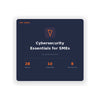
Cybersecurity Essentials For Small Businesses
Small Business Cybersecurity Guide – MFA Setup and Essential Security Practices
Strengthen your organization’s security with this Comprehensive Cybersecurity Guide for Small Businesses, focused on Multi-Factor Authentication (MFA), data protection, and building a security-first culture. This practical guide delivers clear, actionable strategies to help protect your business from modern cyber threats without requiring advanced technical expertise.
What’s Included
This guide features 10 structured chapters covering essential cybersecurity areas for small and growing businesses:
-
Chapter 1: Why Small Businesses Are Targeted
Understand why smaller organizations are frequently targeted and how to address common vulnerabilities. -
Chapter 2: Passwords and Authentication
Learn best practices for strong password policies, password managers, and implementing multi-factor authentication across systems. -
Chapter 3: Phishing and Social Engineering
Identify phishing emails, SMS scams, and other common attack methods with practical examples. -
Chapter 4: Endpoint Protection
Explore antivirus solutions, endpoint detection tools, and device security strategies tailored for business use. -
Chapter 5: Backup and Recovery Strategies
Apply proven backup methods such as the 3-2-1 rule and test recovery processes to protect critical data. -
Chapter 6: Network Security Fundamentals
Understand firewalls, VPNs, Wi-Fi security, and network segmentation in a clear and accessible format. -
Chapter 7: Email and Cloud Security
Secure business platforms such as Microsoft 365 and Google Workspace, including email authentication protocols like SPF, DKIM, and DMARC. -
Chapter 8: Staff Training and Security Culture
Build awareness across your team using simple training materials and practical resources. -
Chapter 9: Incident Response Planning
Follow a step-by-step plan to respond to security incidents and minimize potential damage. -
Chapter 10: Security Audit Checklist
Use a practical checklist to review and improve your organization’s security posture on a regular basis.
What You Will Learn
This guide emphasizes real-world implementation, providing clear outcomes for immediate application:
-
Protect Your Systems
Implement multi-factor authentication across all business accounts using structured guidance -
Detect Security Threats
Train teams to identify phishing attempts and suspicious activity using reference materials -
Respond to Incidents
Apply a structured incident response plan to contain and manage potential breaches -
Prevent Future Risks
Conduct regular security audits using a detailed checklist to strengthen defenses -
Educate Your Team
Promote best practices and improve awareness through accessible training resources -
Support Compliance
Understand key data protection standards such as GDPR and CCPA in practical terms
Who This Guide Is For
This guide is designed for business users who need practical cybersecurity solutions:
-
Small Business Owners
Protect business operations without relying on dedicated IT security teams -
Operations Managers
Implement security policies that support day-to-day workflows -
Finance and Risk Managers
Understand cybersecurity risks in a business context -
Office Administrators
Maintain secure systems and processes across the organization -
Professionals Seeking Skill Development
Build essential cybersecurity knowledge for modern workplaces
Why Multi-Factor Authentication Is Essential
Implementing multi-factor authentication (MFA) is one of the most effective ways to secure business systems. By requiring additional verification beyond passwords, MFA significantly reduces the risk of unauthorized access, even if credentials are compromised.
This guide explains how to select appropriate MFA solutions, deploy them effectively, and maintain strong authentication practices as part of an overall security strategy.
Best Practices for MFA Implementation
- Deploy MFA across all critical systems, including email, cloud platforms, and internal tools
- Choose solutions that balance security with ease of use
- Provide staff training to ensure consistent adoption
- Regularly review and update authentication policies
- Monitor access activity and respond quickly to anomalies
Why Choose Nerdused?
Competitive Pricing
- Affordable access to professional guides and software tools
- Transparent pricing with no hidden fees
Trusted Digital Delivery
- Immediate access to downloadable content
- Secure and reliable purchasing process
Professional Support
- Assistance available for product access and usage
- Focus on delivering reliable, high-quality solutions
Get Started with Business Cybersecurity
Improve your organization’s resilience against cyber threats with a structured and practical approach. Purchase the Small Business Cybersecurity and MFA Setup Guide from Nerdused and gain the tools needed to protect your data, strengthen your systems, and build a security-focused culture.
• A PDF reader to open the guide (Adobe Acrobat Reader, your browser, or any PDF-compatible app).
• Access to your business email and cloud accounts (e.g. Microsoft 365 or Google Workspace) to implement security settings.
• Admin access to your company’s devices and network (or the ability to request changes from your IT provider).
• An internet connection for downloading recommended tools and accessing online security dashboards.
Note: This guide is a PDF document and works on any device — Windows, Mac, tablet, or phone. No specific operating system or software is required to read the guide itself. The checklists and templates are designed to be printed or used digitally.
Frequently Asked Questions
Why buy from Nerdused?
When you buy a Product Key from our store, you will be entitled to full updates, Microsoft support, and a lifetime warranty for the Product Key and activation. Technical support is accessible via our website's online chat or email. We accept all of the major online payment methods such as PayPal, Visa, MasterCard, Apple Pay, and GooglePay. The key delivery system is always automatic and available 24/7.
24/7 Live Chat Support
We are committed to providing the highest level of support in the industry. Therefore, you can contact us at any time by utilizing the live chat widget located in the bottom right corner of our website, ensuring you receive an exceptional support experience for any inquiries you may have
Authorised Microsoft Partners
We are featured on the Microsoft partner site alongside other qualified and authorized vendors. You can access our partner profile by visiting thislink. Therefore, you can make your purchases from us with confidence, knowing that you will always receive authentic products.
Shipping - E-mail Delivery
After completing the payment form, you will automatically receive your Product Key via email within one minute. Please note that if this Product Key does not initially appear in your inbox folder, then be sure to check your spam folder.
Payment Options
We accept PayPal, Visa, Master, Amex and other major debit and credit cards supported via Stripe.com
Returns & Refund
Nerdused is dedicated to delivering superior support and honest return policies to customers. We guarantee the activation of any software purchased or will provide a full refund. Customer satisfaction is our top priority, which is why we offer a 30 day return period. It is important to note that some restrictions may apply.
(Refunds for digital products are only issued if a key is not valid or doesn't work. This typically occurs when online activation fails, rendering the product unusable). Contact us via hello@nerdused.com or live chat for assistance.
Warranty
Nerdused.com offers a full money-back guarantee for any Product Key purchased from our online store. Our Poduct Keys are verified on the Microsoft server and usually activate correctly in 99.9% of cases. If a Product Key fails to work or you are unable to activate it, you may be eligible for a refund or replacement. To find out if you qualify for a refund or replacement, certain details about the Product Key must be checked according to our Returns & Refund Policy.
How can you ensure I am purchasing legitimate software ?
Our product can be verified by activating it on the official Microsoft website.
Upon installation of a Product Key, you will receive a receipt from Microsoft to your email which confirms your purchase. The Product Key will also be associated with your Microsoft account, ensuring easy access.
Additionally, we provide a company invoice as proof of purchase. These measures ensure that our product is genuine and legitimate. Our customers can trust that they are receiving a high-quality product that meets their needs. We prioritize transparency and honesty in our business practices to build strong relationships with our customers.
You can also view our Microsoft partner profile here.
How are you able to offer products at a cheaper cost ?
Our ability to offer products at such low prices is thanks to three key factors. Firstly, we run regular promotional sales which allow us to offer steep discounts on a range of items. This not only benefits our customers, but also helps us clear out excess stock. Secondly, you will receive the Product Key digitally and instantly after your purchase because the box and manual is not shipped. Thirdly, work closely with authorised partners who can offer us great deals when we buy in bulk. By purchasing products at a lower cost, we can then pass these savings onto our customers and offer products at incredibly competitive prices.
Do you supply software in wholesale ?
If you are interested in making bulk purchase of our products, please contact us with the volume of your request and the product that you have chosen. We are happy to accommodate your needs and will provide you with the necessary information regarding pricing. Thank you for considering our products and we look forward to doing business with you.
Are there any regional restrictions with your software ?
Office software can be used and activated without any regional restrictions. This means that users can install and access the software anywhere in the world without any limitations. The software is designed to work globally, and users can easily switch between different languages and locations. This makes it convenient for businesses and individuals who travel or operate in different countries to use and rely on Office software for their productivity needs.
Can your software be used in my local language ?
Our products are designed to support multi-language installation files, allowing you to download the setup in your preferred language. This means that our products can be used in a wide range of countries and regions, as we cater to the needs of our global customer base. We understand how important it is for our users to be able to use our products in their preferred language, and we strive to offer the software accessible and user-friendly for all.
I placed an order but I have not received the download link and product key. What should I do ?
Please check your spam/junk folder. Contact us via email or live chat for further assistance


